


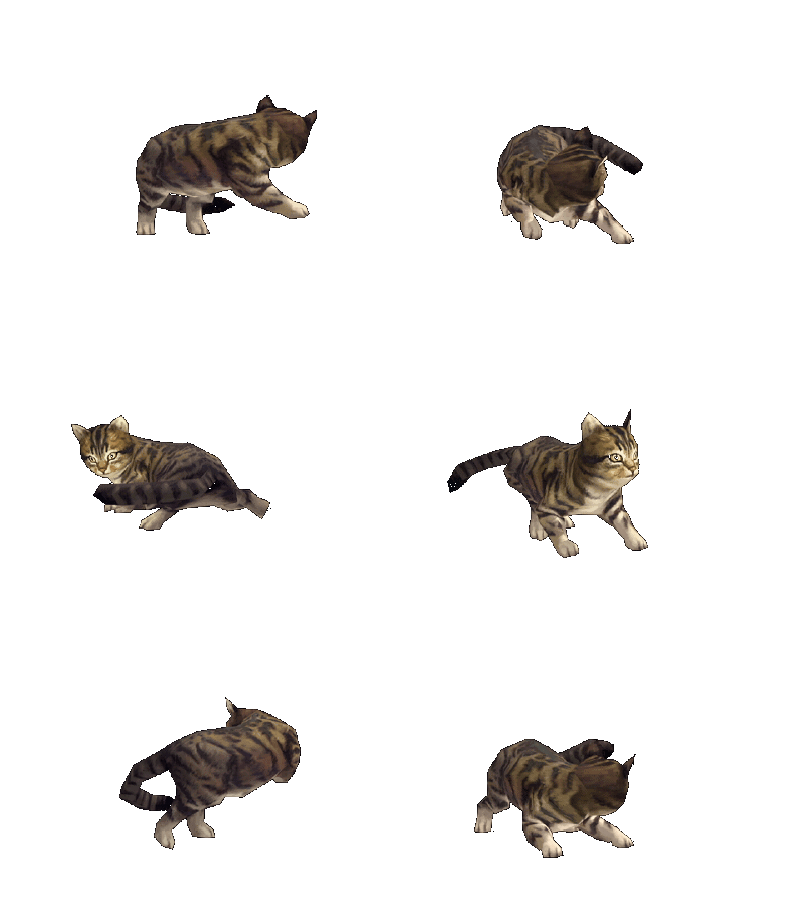
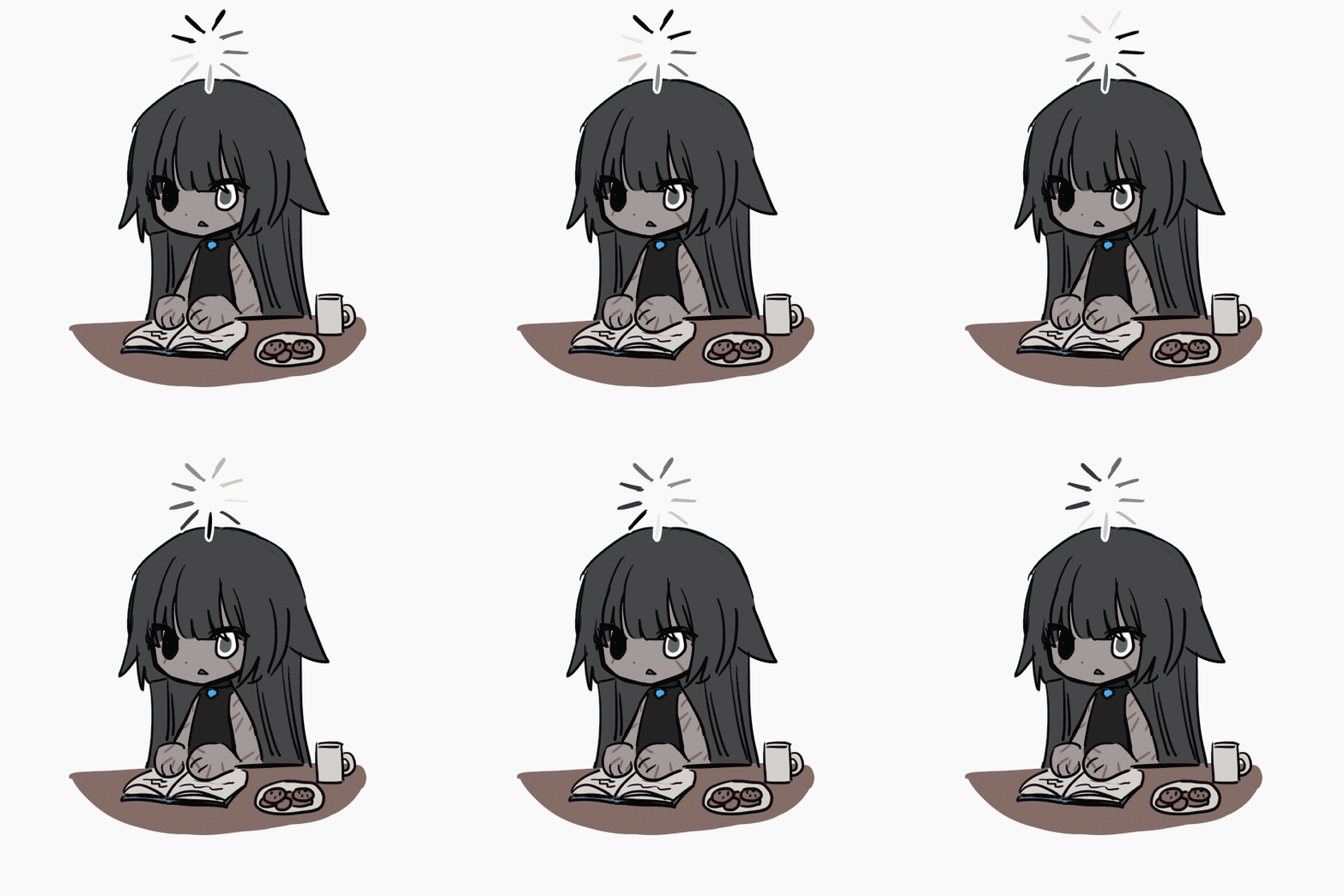


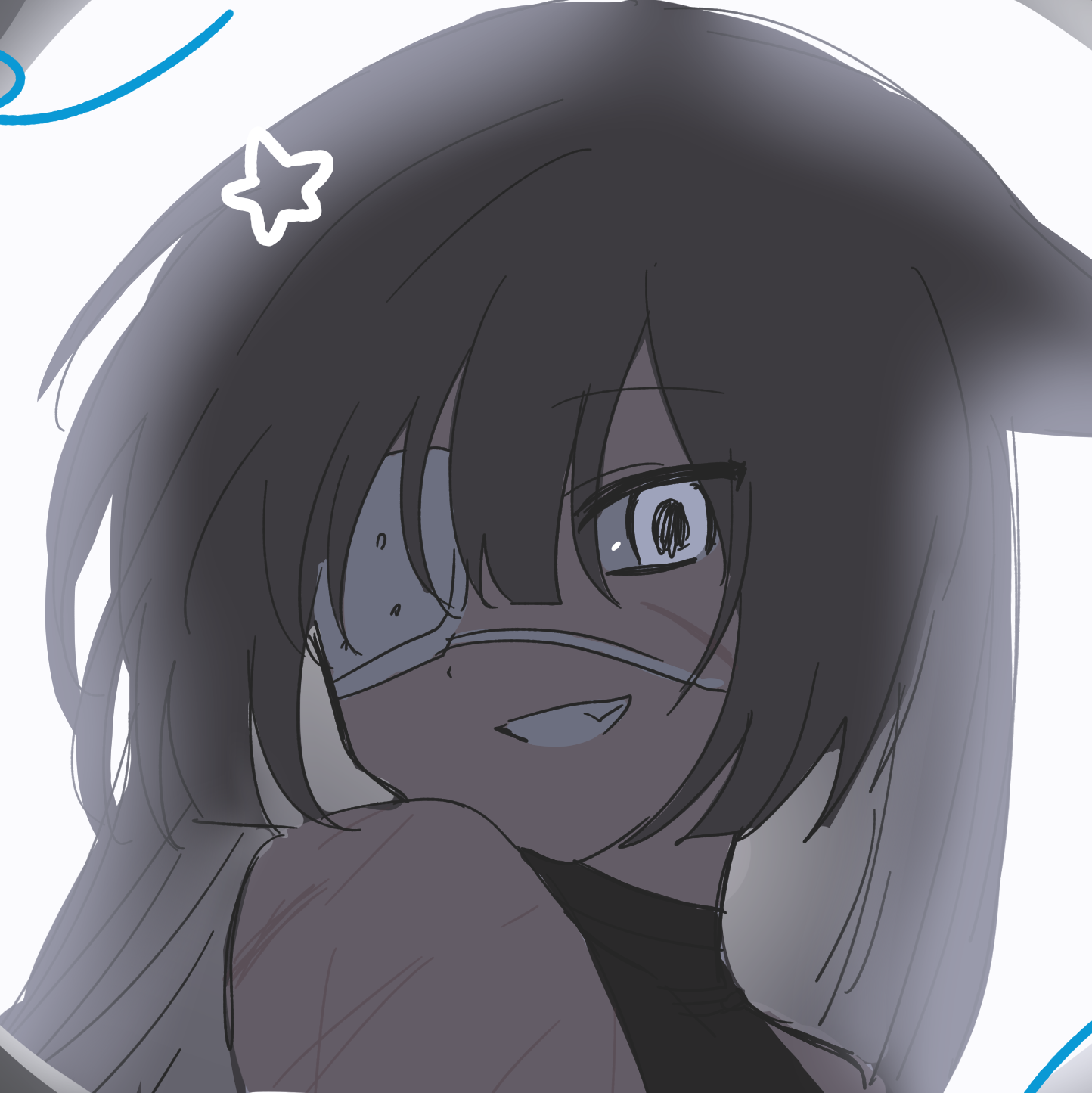
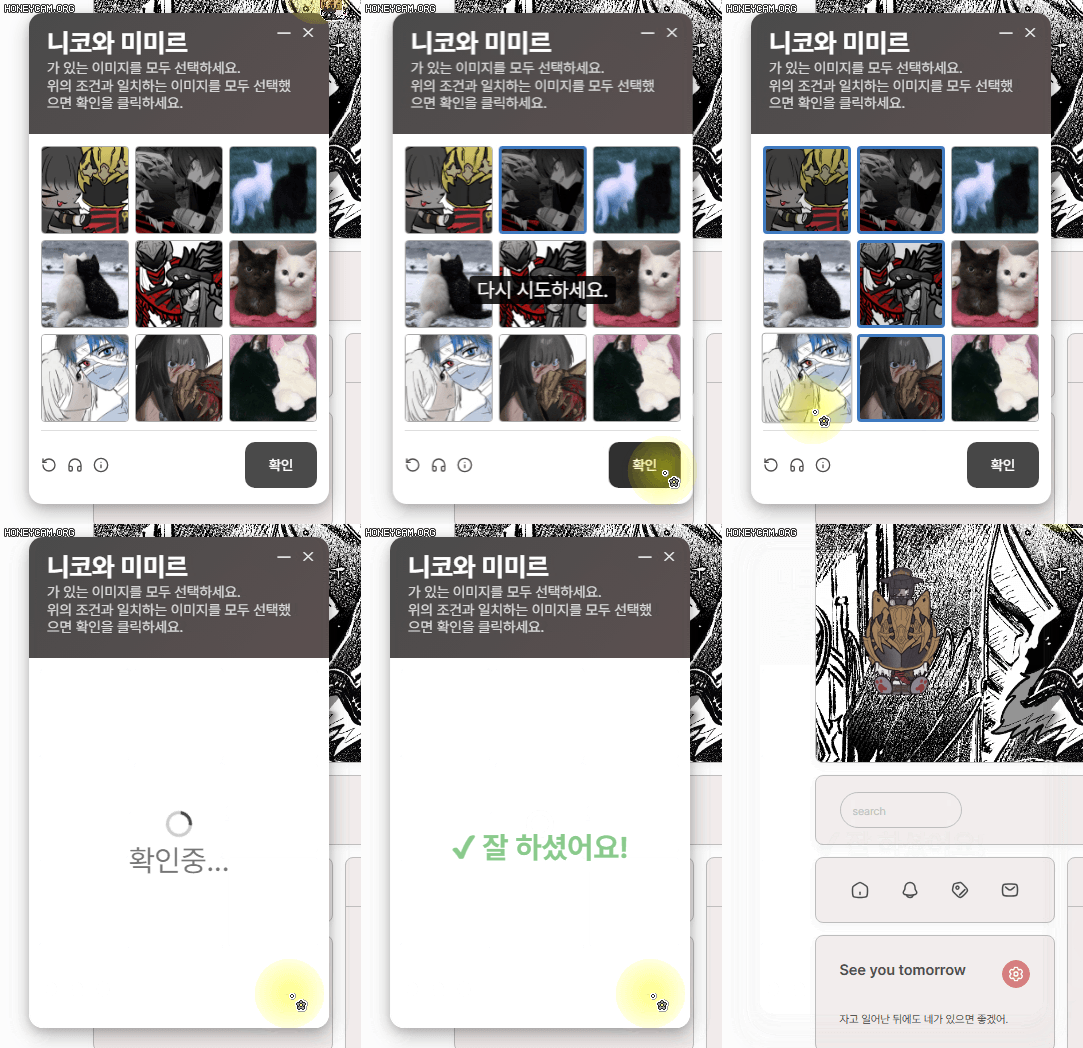
해당 위젯의 디자인은 모코님(@mocxoo)께서 제작-배포해주신 틀 기반입니다.
X의 모코님(@mocxoo)
#페어틀 [이미지를 모두 선택하세요] 캡차틀을 배포합니다 !! 문구를 마음대로 바꿔보세요 📸 🔗- https://t.co/8CeR1ydLxM
x.com
주의사항
- 해당 위젯은 티스토리에서 구동됩니다. (제가 티스토리에서 쓸라고 만든 거라 다른 곳에서 될지 모릅니다.)
- 코드를 제가 직접 친 건 매우 적고... 대부분 챗GPT를 패서 만든 것이기 때문에 허접하고 허점이 많을 수 있습니다.
- 따라서 코드의 수정 및 재배포 매우 환영합니다. (재배포의 경우 그래도 원형 참고를 위해 이 포스팅 링크를 부탁드립니다.)
잘 만들어지면 저도 주세요.
- 위젯이 스킨 설정에 따라 아이콘이나 박스 크기가 임의로 변할 수 있습니다.
- 개인이 수정 및 재배포하는 것은 자유이지만, 이 코드를 기반으로 했을 시 상업적으로 판매 하지 말아주세요.
- 모바일 구동은 테스트 안 했습니다!!!
제 코딩 마지막 기억이 hello world 라서 질의응답 및 유지보수가 어렵습니다.
사용법
스킨편집 → HTML 편집 → <body> 아래에 HTML 삽입. (CSS도 맨 아래에 복붙해주세요.)
※ 일부 스킨에서는 위젯이 뜨지 않거나 일부 기능이 작동되지 않을 수 있습니다. 관련 문의 주시면 도움은 안 되지만 열심히 머리 굴립니다...
준비해야 하는 것 :
캡차 이미지 (1:1 비율) 6개~9개
아이콘 이미지 1개 (크기나 비율은 CSS에서 수정해주세요)
사운드 2개 (선택사항)
- 헤드셋 아이콘을 눌렀을 때 하나, 커서음 하나 입니다.
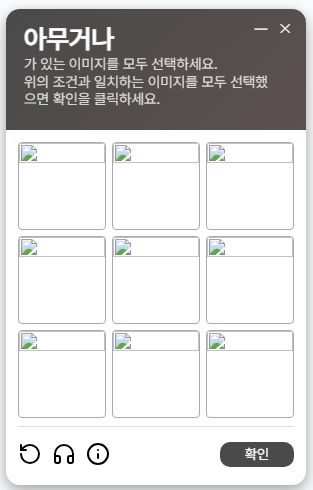
이미지는 최소 6개, 최대 9개가 예쁘게 나옵니다.
개인적으로 쓸라고 만든 것이고, 매~~우 허접합니다! 사실 저에게 문의를 주는 것보다 챗GPT, 제미나이 어쩌고저쩌고들에게 묻는 것이 가장 빠릅니다! 뜯어보시고 제 앞에서 대놓고 코드가 왜이래 하시면 곤란합니다!!
<!-- ============================= -->
<!-- 이미지를 모두 선택하세요. -->
<!-- ============================= -->

<!--
  [폰트 불러오기]
  - Pretendard를 CDN 방식으로 불러옵니다.
  - 별도 폰트 파일을 직접 업로드하지 않아도 됩니다.
-->
<link rel="stylesheet" href="https://cdn.jsdelivr.net/npm/pretendard/dist/web/static/pretendard.css">
<script src="https://unpkg.com/lucide@latest"></script>

<!--
  [효과음]
-->
<audio id="clickSound" src="클릭 효과음 주소"></audio>
<audio id="catSound" src="헤드셋 아이콘 누르면 나오는 소리주소"></audio>

<!--
  [바탕화면 아이콘]
  - 창을 닫으면 뜨는 아이콘입니다.
  !!사용유무 체크는 Ctrl + F 후 ★★★ <입력 하시면 관련 설명이 있습니다.
-->
<div class="desktop-icon hidden" id="desktopIcon" style="display:none;">
  <img src="아이콘 이미지 주소" alt="desktop icon">
</div>

<!--
  [캡차 창 전체]
-->
<div class="captcha-box hidden" id="captchaWindow" style="display:none;">
  <div class="captcha-inner" id="captchaInner">

    <!--
      [상단 헤더]
    -->
    <div class="captcha-header" id="dragHeader">
      <span>아무거나</span>

      <p class="desc">
        가 있는 이미지를 모두 선택하세요.<br>
        위의 조건과 일치하는 이미지를 모두 선택했<br>
        으면 확인을 클릭하세요.
      </p>

      <div class="window-buttons">
        <button type="button" onclick="minimizeWindow()">—</button>
        <button type="button" onclick="closeWindow()">✕</button>
      </div>
    </div>

    <div class="captcha-body" id="captchaBody">

      <!--
        [이미지 선택 영역]
        - data-type="TypeA" : 정답
        - data-type="TypeB" : 오답

        - 이미지 개수는 최소 6장, 최대 9장으로 맞춰 사용해주세요.
        - 현재 예시는 9장입니다.
      -->
      <div class="captcha-grid" id="captchaGrid">
        <img src="이미지 주소" data-type="TypeA" alt="">
        <img src="이미지 주소" data-type="TypeA" alt="">
        <img src="이미지 주소" data-type="TypeB" alt="">

        <img src="이미지 주소" data-type="TypeB" alt="">
        <img src="이미지 주소" data-type="TypeA" alt="">
        <img src="이미지 주소" data-type="TypeB" alt="">

        <img src="이미지 주소" data-type="TypeA" alt="">
        <img src="이미지 주소" data-type="TypeA" alt="">
        <img src="이미지 주소" data-type="TypeB" alt="">
      </div>

      <!--
        [하단 버튼 영역]
        - 새로고침(선택 초기화)
        - 소리 재생
        - 안내 버튼
        - 확인 버튼
      -->
      <div class="captcha-footer">
        <div class="footer-left">
          <button type="button" onclick="resetCaptcha()">
            <i data-lucide="rotate-ccw"></i>
          </button>

          <button type="button" id="soundBtn">
            <i data-lucide="headphones"></i>
          </button>

          <button type="button" title="절대 바이러스 아닙니다. 믿어주세요...">
            <i data-lucide="info"></i>
          </button>
        </div>

        <button type="button" class="footer-confirm" onclick="checkCaptcha()">확인</button>
      </div>

      <!--
        - ▼ 정답이 아닐 때 나타나는 메시지입니다.
      -->
      <p class="error-text" id="errorText">다시 시도하세요.</p>

      <!--
        ▼ 결과 화면 로딩창
      -->
      <div class="captcha-overlay hidden" id="captchaOverlay">
        <div class="spinner"></div>
        <p class="overlay-text">확인중...</p>
      </div>
    </div>
  </div>
</div>

<script>
window.addEventListener('DOMContentLoaded', () => {
  /* ============================= */
  /* 1. 자주 사용할 요소 미리 찾기 */
  /* ============================= */
  const win = document.getElementById('captchaWindow');
  const inner = document.getElementById('captchaInner');
  const header = document.getElementById('dragHeader');
  const body = document.getElementById('captchaBody');
  const icon = document.getElementById('desktopIcon');
  const overlay = document.getElementById('captchaOverlay');
  const errorText = document.getElementById('errorText');
  const soundBtn = document.getElementById('soundBtn');
  const clickSound = document.getElementById('clickSound');
  const catSound = document.getElementById('catSound');
  const images = [...win.querySelectorAll('.captcha-grid img')];

  /* ============================= */
  /* 2. 현재 상태 저장용 변수 */
  /* ============================= */
  const state = {
    zIndex: 10000,
    isMinimized: false,
    lastScrollY: window.scrollY,
    drag: {
      target: null,
      offsetX: 0,
      offsetY: 0
    },
    winY: { current: 100, target: 100 },
    iconY: { current: 120, target: 120 },
    iconPos: { left: 60, top: 120 }
  };

  /* 모바일 여부 판별
     - 화면 폭이 작거나
     - 터치 기반 기기면 모바일로 간주
  */
  function isMobileDevice() {
    return window.innerWidth <= 768 || ('ontouchstart' in window) || navigator.maxTouchPoints > 0;
  }

  /* ============================= */
  /* 3. 애니메이션 시간 / 움직임 값 */
  /* ============================= */
  const FADE_TIME = 300;
  const ICON_FADE_TIME = 220;
  const SUCCESS_WAIT = 1800;
  const VERIFY_WAIT = 2000;
  const SMOOTH_FACTOR = 0.12;

  /* ============================= */
  /* 4. 공용 보조 함수 */
  /* ============================= */

  // 요소가 실제로 화면에 보이는 상태인지 확인
  function isShown(el) {
    return el.style.display !== 'none' && !el.classList.contains('hidden');
  }

  // 숫자를 최소~최대 범위 안으로 제한
  function clamp(value, min, max) {
    return Math.max(min, Math.min(value, max));
  }

  // 창이나 아이콘을 맨 앞으로 올림
  function bringToFront() {
    state.zIndex += 1;
    win.style.zIndex = state.zIndex;
    icon.style.zIndex = state.zIndex;
  }

  // 최소화 상태에 따라 클래스 반영
  function syncMinimizeUI() {
    win.classList.toggle('is-minimized', state.isMinimized);
  }

  // 오버레이 내용을 기본 상태로 되돌림
  function resetOverlayToDefault() {
    overlay.innerHTML = `
      <div class="spinner"></div>
      <p class="overlay-text">확인중...</p>
    `;
  }

  // 이미지 선택 상태 전부 해제
  function clearSelections() {
    images.forEach(img => img.classList.remove('selected'));
  }

  // 아이콘 위치 저장
  function saveIconPosition(left = icon.offsetLeft, top = icon.offsetTop) {
    state.iconPos.left = left;
    state.iconPos.top = top;
  }

  // 캡차 창 상태를 기본값으로 되돌림
  function resetWindowState() {
    clearSelections();
    overlay.classList.add('hidden');
    resetOverlayToDefault();

    errorText.classList.remove('show');
    win.classList.remove('captcha-shake');
    inner.classList.remove('captcha-fadeout', 'captcha-popin');

    body.style.pointerEvents = 'auto';

    state.isMinimized = false;
    syncMinimizeUI();
  }

  // 화면 밖으로 요소가 벗어나지 않도록 가능한 범위 계산
function getViewportBounds(element) {
  const left = 0;
  const top = 0;
  const right = window.innerWidth;
  const bottom = window.innerHeight;

  const width = element.offsetWidth;
  const height = element.offsetHeight;

  return {
    minLeft: left,
    minTop: top,
    maxLeft: Math.max(left, right - width),
    maxTop: Math.max(top, bottom - height)
  };
}

  // 요소를 화면 안쪽 안전한 위치로 보정해서 배치
  function setBoundedPosition(element, left, top) {
    const bounds = getViewportBounds(element);
    const safeLeft = clamp(left, bounds.minLeft, bounds.maxLeft);
    const safeTop = clamp(top, bounds.minTop, bounds.maxTop);

    element.style.left = safeLeft + 'px';
    element.style.top = safeTop + 'px';

    return { left: safeLeft, top: safeTop };
  }

  // 현재 창 위치를 고정
  function freezeWindowPosition() {
    const pos = setBoundedPosition(win, win.offsetLeft, state.winY.current);
    state.winY.current = pos.top;
    state.winY.target = pos.top;
    return pos;
  }

  // 현재 아이콘 위치를 고정
  function freezeIconPosition() {
    const pos = setBoundedPosition(icon, icon.offsetLeft, state.iconY.current);
    state.iconY.current = pos.top;
    state.iconY.target = pos.top;
    saveIconPosition(pos.left, pos.top);
    return pos;
  }

  // 아이콘의 실제 너비 구하기
  function getRealIconWidth() {
    const prevDisplay = icon.style.display;
    const prevVisibility = icon.style.visibility;
    const wasHidden = icon.classList.contains('hidden');

    icon.style.visibility = 'hidden';
    icon.style.display = 'block';
    icon.classList.remove('hidden');

    const width = icon.offsetWidth || 48;

    icon.style.display = prevDisplay;
    icon.style.visibility = prevVisibility;
    if (wasHidden) icon.classList.add('hidden');

    return width;
  }

  // 헤더 중앙 위치에 아이콘 배치
  function placeIconAtHeaderCenter() {
    const headerRect = header.getBoundingClientRect();
    const iconWidth = getRealIconWidth();

const left = headerRect.left + (headerRect.width / 2) - (iconWidth / 2);
const top = headerRect.top;

    icon.style.left = left + 'px';
    icon.style.top = top + 'px';

    saveIconPosition(left, top);
  }

  // 아이콘을 서서히 보이게 하기
  function showIconWithFade() {
    icon.classList.remove('hidden', 'icon-fadeout');
    icon.style.display = 'block';
    void icon.offsetWidth;
    icon.classList.add('icon-fadein');
  }

  // 아이콘을 서서히 숨기기
  function hideIconWithFade(callback) {
    icon.classList.remove('icon-fadein');
    icon.classList.remove('hidden');
    icon.style.display = 'block';
    void icon.offsetWidth;
    icon.classList.add('icon-fadeout');

    setTimeout(() => {
      icon.classList.add('hidden');
      icon.style.display = 'none';
      icon.classList.remove('icon-fadeout');
      if (callback) callback();
    }, ICON_FADE_TIME);
  }

  // 지정 위치에서 창 열기
  function openWindowAt(left, top) {
    resetWindowState();

    win.style.left = left + 'px';
    win.style.top = top + 'px';
    win.style.display = 'block';
    win.classList.remove('hidden');
    inner.classList.remove('captcha-popin');

    void inner.offsetWidth;
    inner.classList.add('captcha-popin');

    const pos = freezeWindowPosition();
    state.winY.current = pos.top;
    state.winY.target = pos.top;

    bringToFront();
  }

  // 창 닫고 아이콘으로 전환
  function closeWindowToIcon() {
    freezeWindowPosition();

    win.classList.remove('hidden');
    win.style.display = 'block';
    inner.classList.remove('captcha-fadeout');
    void inner.offsetWidth;
    inner.classList.add('captcha-fadeout');

    setTimeout(() => {
      placeIconAtHeaderCenter();

      win.classList.add('hidden');
      win.style.display = 'none';
      inner.classList.remove('captcha-fadeout');

      showIconWithFade();
      freezeIconPosition();
      bringToFront();
    }, FADE_TIME);
  }

  /* ============================= */
  /* 5. 사운드 버튼 */
  /* ============================= */
  document
    .querySelectorAll('.footer-left button, .footer-confirm, .window-buttons button')
    .forEach(btn => {
      btn.addEventListener('click', () => {
        if (btn.id === 'soundBtn') return;
        if (!clickSound) return;

        clickSound.currentTime = 0;
        clickSound.play().catch(() => {});
      });
    });

  if (soundBtn) {
    soundBtn.addEventListener('click', () => {
      if (!catSound) return;

      catSound.volume = 0.3;
      catSound.currentTime = 0;
      catSound.play().catch(() => {});
    });
  }

  /* ============================= */
  /* 6. 드래그 관련 이벤트 */
  /* ============================= */

  // 창 헤더를 눌렀을 때 창 드래그 시작
  header.addEventListener('mousedown', (e) => {
    if (e.target.closest('.window-buttons')) return;

    e.preventDefault();
    state.drag.target = 'win';
state.drag.offsetX = e.clientX - win.offsetLeft;
state.drag.offsetY = e.clientY - win.offsetTop;
    bringToFront();
  });

  // 아이콘을 눌렀을 때 아이콘 드래그 시작
  icon.addEventListener('mousedown', (e) => {
    state.drag.target = 'icon';
    icon.classList.add('dragging');

state.drag.offsetX = e.clientX - icon.offsetLeft;
state.drag.offsetY = e.clientY - icon.offsetTop;
    bringToFront();
  });

  // 창 / 아이콘 클릭 시 맨 앞으로
  win.addEventListener('mousedown', bringToFront);
  icon.addEventListener('mousedown', bringToFront);

  // 마우스 이동 중이면 드래그 대상 따라 이동
  document.addEventListener('mousemove', (e) => {
    if (state.drag.target === 'win') {
	const newLeft = e.clientX - state.drag.offsetX;
	const newTop = e.clientY - state.drag.offsetY;
      const pos = setBoundedPosition(win, newLeft, newTop);
      state.winY.current = pos.top;
      state.winY.target = pos.top;
    }

if (state.drag.target === 'icon') {
  const newLeft = e.clientX - state.drag.offsetX;
  const newTop = e.clientY - state.drag.offsetY;
  const pos = setBoundedPosition(icon, newLeft, newTop);
  state.iconY.current = pos.top;
  state.iconY.target = pos.top;
  saveIconPosition(pos.left, pos.top);
}
  });

  // 마우스를 떼면 드래그 종료
  document.addEventListener('mouseup', () => {
    state.drag.target = null;
    icon.classList.remove('dragging');

    if (isShown(win)) freezeWindowPosition();
    if (isShown(icon)) freezeIconPosition();
  });

  /* ============================= */
  /* 7. 최소화 / 닫기 */
  /* ============================= */

  // 헤더 더블클릭 시 최소화 토글
  header.addEventListener('dblclick', (e) => {
    if (e.target.closest('.window-buttons')) return;
    window.minimizeWindow();
  });

  // 선택 초기화
  window.resetCaptcha = function() {
    clearSelections();
  };

  // 최소화
  window.minimizeWindow = function() {
    state.isMinimized = !state.isMinimized;
    syncMinimizeUI();
    freezeWindowPosition();
  };

  /*
    ★★★ 아이콘 사용 유무

    만약 아이콘을 표시하고 싶지 않다면,
    ▼ 아래 입력된 코드를 사용해주세요.
    (※ 아이콘을 사용하지 않으면 해당 위젯을 새로고침 외에는 다시 불러올 수 없습니다.)

    window.closeWindow = function() {
      inner.classList.remove('captcha-fadeout');
      void inner.offsetWidth;
      inner.classList.add('captcha-fadeout');

      setTimeout(() => {
        win.classList.add('hidden');
        win.style.display = 'none';
        inner.classList.remove('captcha-fadeout');
      }, FADE_TIME);
    };

    ============== ▼현재 설정 : 아이콘이 보입니다.
  */
  window.closeWindow = function() {
    closeWindowToIcon();
  };

  /* ============================= */
  /* 8. 이미지 선택 관련 */
  /* ============================= */
  images.forEach((img) => {
    img.addEventListener('click', () => {
      if (!isShown(win)) return;

      img.classList.toggle('selected');

      if (clickSound) {
        clickSound.currentTime = 0;
        clickSound.play().catch(() => {});
      }
    });
  });

  /* ============================= */
  /* 9. 캡차 정답 확인 */
  /* ============================= */
  window.checkCaptcha = function() {
    /*
      [정답 판정 방식]
      - TypeA 는 선택되어 있어야 함
      - TypeB 는 선택되면 안 됨
    */
    const correct = images.every((img) => {
      const selected = img.classList.contains('selected');
      const isTypeA = img.dataset.type === 'TypeA';
      return selected === isTypeA;
    });

    // 오답일 때 흔들림 + 메시지 표시
    if (!correct) {
      win.classList.remove('captcha-shake');
      void win.offsetWidth;
      win.classList.add('captcha-shake');

      errorText.classList.add('show');

      setTimeout(() => win.classList.remove('captcha-shake'), 340);
      setTimeout(() => errorText.classList.remove('show'), 1200);
      return;
    }

    // 정답일 때 확인중 표시
    overlay.classList.remove('hidden');
    body.style.pointerEvents = 'none';

    overlay.innerHTML = `
      <div class="spinner"></div>
      <p class="overlay-text fade-text">확인중...</p>
    `;

    // 잠시 후 성공 메시지
    setTimeout(() => {
      overlay.innerHTML = `
        <p class="overlay-text fade-in success-message">✔ 잘 하셨어요!</p>
      `;

      // 성공 메시지 후 창 닫기 + 아이콘 표시
      setTimeout(() => {
        freezeWindowPosition();
        inner.classList.remove('captcha-fadeout');
        void inner.offsetWidth;
        inner.classList.add('captcha-fadeout');

        setTimeout(() => {
          const mobile = isMobileDevice();

          if (!mobile) {
            placeIconAtHeaderCenter();
          }

          win.classList.add('hidden');
          win.style.display = 'none';
          inner.classList.remove('captcha-fadeout');

          if (!mobile) {
            showIconWithFade();
            freezeIconPosition();
          } else {
            icon.classList.add('hidden');
            icon.style.display = 'none';
          }

          resetWindowState();
        }, FADE_TIME);
      }, SUCCESS_WAIT);
    }, VERIFY_WAIT);
  };

  /* ============================= */
  /* 10. 아이콘 더블클릭으로 다시 열기 */
  /* ============================= */
  icon.addEventListener('dblclick', () => {
    const openLeft = state.iconPos.left;
    const openTop = state.iconPos.top;

    hideIconWithFade(() => {
      openWindowAt(openLeft, openTop);
    });
  });


  /* ============================= */
  /* 12. 부드럽게 위치 보정 */
  /* ============================= */
  function smoothFollow() {
    if (state.drag.target !== 'win' && isShown(win)) {
      state.winY.current += (state.winY.target - state.winY.current) * SMOOTH_FACTOR;
      const pos = setBoundedPosition(win, win.offsetLeft, state.winY.current);
      state.winY.current = pos.top;
    }

    if (state.drag.target !== 'icon' && isShown(icon)) {
      state.iconY.current += (state.iconY.target - state.iconY.current) * SMOOTH_FACTOR;
      const pos = setBoundedPosition(icon, icon.offsetLeft, state.iconY.current);
      state.iconY.current = pos.top;
      saveIconPosition(pos.left, pos.top);
    }

    requestAnimationFrame(smoothFollow);
  }

  /* ============================= */
  /* 13. 창 크기 변경 대응 */
  /* ============================= */
  window.addEventListener('resize', () => {
    if (isShown(win)) freezeWindowPosition();
    if (isShown(icon)) freezeIconPosition();
  });

  /* ============================= */
  /* 14. 페이지 로드 후 첫 실행 */
  /* ============================= */
  setTimeout(() => {
    resetWindowState();

	win.style.left = '50px';
	win.style.top = '100px';
    win.style.display = 'block';
    bringToFront();

    requestAnimationFrame(() => {
      win.classList.remove('hidden');
      inner.classList.remove('captcha-popin');
      void inner.offsetWidth;
      inner.classList.add('captcha-popin');

      const winPos = freezeWindowPosition();
      state.winY.current = winPos.top;
      state.winY.target = winPos.top;

      state.iconPos.left = icon.offsetLeft || 60;
      state.iconPos.top = icon.offsetTop || 120;

      state.lastScrollY = window.scrollY;
    });
  }, 100);

  smoothFollow();
});

/* 아이콘 라이브러리 안전 실행 */
if (window.lucide) {
  lucide.createIcons();
}
</script>

<!-- ============================= -->
<!-- 끝 _ 쏘ㄸ뚱 -->
<!-- ============================= -->
/* ============================= */
/* 이미지를 모두 선택하세요. CSS */
/* ============================= */


/*
  [폰트]
  - HTML에서 CDN으로 불러온 Pretendard를 사용합니다.

  헤더 색상을 변경하고 싶다면 ctrl + F 후 ★★★ 입력하여 이동하세요.
  박스 색상을 변경하고 싶다면 ctrl + F 후 ★★★★ 입력하여 이동하세요.
*/

.captcha-box,
.captcha-box *,
.desktop-icon,
.desktop-icon * {
  font-family: 'Pretendard', sans-serif;
}
/*
  [공통 숨김 처리]
  - 보이지 않게 숨기고
  - 클릭도 되지 않게 막습니다.
*/
.hidden {
  opacity: 0;
  pointer-events: none;
  visibility: hidden;
}

/*
  [캡차 창 바깥 박스]
  - 화면 위에 떠 있는 창의 위치를 담당합니다.
*/
.captcha-box {
  width: 300px;
  position: fixed;
  top: 100px;
  left: 50px;
  z-index: 999999;
  will-change: top, left, transform;
}

/* 오답일 때 창 흔들림 */
.captcha-box.captcha-shake {
  animation: shakeWindow 0.34s ease;
}

@keyframes shakeWindow {
  0%   { transform: translateX(0); }
  20%  { transform: translateX(-8px); }
  40%  { transform: translateX(8px); }
  60%  { transform: translateX(-6px); }
  80%  { transform: translateX(6px); }
  100% { transform: translateX(0); }
}

/*
  [캡차 내부 박스]
  -  헤더 아래 박스입니다.
*/
.captcha-inner {
  border: none;
  border-radius: 14px;
  background: #fff; /* ★★★★ 박스 색상 변경 */
  box-shadow:
    0 8px 20px rgba(0, 0, 0, 0.25),
    0 2px 10px rgba(0, 0, 0, 0.15);
  opacity: 1;
  transform: scale(1);
  transition: opacity 0.3s ease, transform 0.3s ease;
  overflow: hidden;
}

/* 창이 숨겨질 때 내부도 살짝 축소 */
.captcha-box.hidden .captcha-inner {
  opacity: 0;
  transform: scale(0.96);
}

/* 사라질 때 페이드 아웃 */
.captcha-inner.captcha-fadeout {
  opacity: 0 !important;
  transform: scale(0.94) !important;
}

/* 나타날 때 팝업 효과 */
.captcha-inner.captcha-popin {
  animation: captchaPopIn 0.28s ease;
}

@keyframes captchaPopIn {
  from {
    opacity: 0;
    transform: scale(0.96);
  }
  to {
    opacity: 1;
    transform: scale(1);
  }
}

/* [상단 헤더]
★★★ 헤더 색상 변경
  background 에서 색상 변경이 가능합니다.
  background: #000000 <단색
  background: linear-gradient(135deg, #000000, #4a4a4a); <그라데이션
  그라데이션은 ↘ 방향입니다.

  */
.captcha-header {
  position: relative;
  background: linear-gradient(135deg, #4a4a4a, #5c5050);
  padding: 16px 18px 23px;   /* 상하여백조절 */
  display: flex;
  flex-direction: column;
  align-items: flex-start;
  gap: 3px;                  /* 제목-설명 간격*/
}

/* 헤더 제목 글씨 */
.captcha-header span {
  font-size: 26px;
  font-weight: 700;
  line-height: 1.05;
  color: #fff;
  margin: 0;
  padding-right: 52px;
}

/* 안내 문구 */
.desc {
  font-size: 14.5px;
  line-height: 1.2;
  margin: 0;
  color: #ddd;
  max-width: 260px;
}

/* 드래그 중 텍스트 선택 방지 */
#dragHeader,
#dragHeader * {
  user-select: none;
  -webkit-user-select: none;
}

/*
  [우측 상단 창 버튼]
  - 최소화 / 닫기
*/
.window-buttons {
  position: absolute;
  right: 10px; /* left 고정 대신 right 기준 */
  top: 8px;
  display: flex;
  gap: 2px;
}

.window-buttons button {
  width: 22px;
  height: 22px;
  background: transparent;
  border: none;
  color: #fff;
  cursor: pointer;
  font-size: 13px;
  line-height: 1;
  padding: 0;
}

/*
  [본문 영역]
  - 이미지와 버튼이 들어가는 부분
*/
.captcha-body {
  padding: 12px 12px 6px;
  position: relative;
  overflow: hidden;
  max-height: 1000px;
  opacity: 1;
  transition: max-height 0.28s ease, opacity 0.2s ease, padding 0.28s ease;
}

/* 최소화 상태일 때 본문 숨김 */
.captcha-box.is-minimized .captcha-body {
  max-height: 0;
  opacity: 0;
  padding-top: 0;
  padding-bottom: 0;
  pointer-events: none;
}

/*
  [이미지 그리드]
  - 3칸씩 배치
  - 이미지 개수는 HTML에서 6~9장으로 사용 권장
*/
.captcha-grid {
  display: grid;
  grid-template-columns: repeat(3, 1fr);
  gap: 6px;
}

.captcha-grid img {
  width: 100%;
  aspect-ratio: 1 / 1;
  object-fit: cover;
  border: 1px solid #aaa;
  border-radius: 4px;
  cursor: pointer;
  display: block;
  transition: transform 0.1s ease, filter 0.1s ease, border 0.1s ease;
}

/* 누르는 순간 살짝 작아짐 */
.captcha-grid img:active {
  transform: scale(0.95);
}

/* 선택된 이미지 표시 */
.captcha-grid img.selected {
  border: 3px solid #4a90e2;
  box-sizing: border-box;
  filter: brightness(0.85);
}

/* 마우스를 올리면 살짝 확대 */
.captcha-grid img:hover {
  transform: scale(1.03);
}

/*
  [하단 버튼 영역]
*/
.captcha-footer {
  display: flex;
  justify-content: space-between;
  align-items: center;
  margin-top: 8px;
  padding: 14.5px 0 12.5px;
  border-top: 1px solid #ddd;
}

.footer-left {
  display: flex;
  gap: 10px;
}

.footer-left button {
  display: flex;
  align-items: center;
  justify-content: center;
  background: none;
  border: none;
  font-size: 16px;
  cursor: pointer;
  padding: 0;
}

.footer-confirm {
  background: #4a4a4a;
  color: #fff;
  border: none;
  padding: 5px 25px;
  border-radius: 10px;
  font-size: 14px;
  font-weight: 500;
  transition: 0.2s;
}

.footer-confirm:hover {
  background: #2f2f2f;
}


/*
  [오답 메시지]
  - 잠깐만 보이는 안내 텍스트
*/
.error-text {
  position: absolute;
  bottom: 200px;
  left: 50%;
  transform: translateX(-50%);
  background: rgba(0, 0, 0, 0.85);
  color: #fff;
  font-size: 20px;
  padding: 4px 8px;
  border-radius: 4px;
  opacity: 0;
  transition: opacity 0.2s ease;
  pointer-events: none;
}

.error-text.show {
  opacity: 1;
}

/*
  [검사 중 오버레이]
  - 확인 중일 때 위를 덮는 화면
*/
.captcha-overlay {
  position: absolute;
  inset: 0;
  background: #fff;
  display: flex;
  justify-content: center;
  align-items: center;
  flex-direction: column;
  z-index: 20;
}

.overlay-text {
  margin-top: 8px;
  font-size: 30px;
  color: #222;
}

/* 성공 메시지 색상 */
.success-message {
  color: #4caf50;
  font-weight: bold;
}

/* 확인중... 텍스트 깜빡임 */
.fade-text {
  animation: fadeText 1.2s ease-in-out infinite;
}

@keyframes fadeText {
  0% { opacity: 0.3; }
  50% { opacity: 1; }
  100% { opacity: 0.3; }
}

/* 서서히 등장 */
.fade-in {
  opacity: 0;
  animation: fadeIn 0.35s ease forwards;
}

@keyframes fadeIn {
  to {
    opacity: 1;
  }
}

/* 로딩 스피너 */
.spinner {
  width: 26px;
  height: 26px;
  border: 3px solid #ccc;
  border-top: 3px solid #444;
  border-radius: 50%;
  animation: spin 0.8s linear infinite;
}

@keyframes spin {
  to {
    transform: rotate(360deg);
  }
}

/*
  [바탕화면 아이콘]
  - 창을 닫았을 때 대신 보이는 요소
*/
.desktop-icon {
  position: fixed;
  top: 384px;
  left: 552px;
  width: 100px;
  cursor: pointer;
  user-select: none;
  z-index: 999998;
  opacity: 0;
  will-change: top, left, opacity, transform;
  transition: transform 0.18s ease, filter 0.18s ease;
}

/* 아이콘 이미지 */
.desktop-icon img {
  width: 100%;
  display: block;
  user-select: none;
  -webkit-user-drag: none;
  pointer-events: none;
}

/* 표시 중일 때 보이기 */
.desktop-icon:not(.hidden) {
  opacity: 1;
}

/* 마우스를 올렸을 때 */
.desktop-icon:hover {
  transform: scale(1.08);
  filter: brightness(1.1);
}

/* 드래그 중일 때 */
.desktop-icon.dragging {
  transform: scale(1.05);
  transition: transform 0.08s ease;
  cursor: grabbing;
}

/* 아이콘 등장 애니메이션 */
.desktop-icon.icon-fadein {
  animation: iconFadeIn 0.22s ease forwards;
}

/* 아이콘 사라짐 애니메이션 */
.desktop-icon.icon-fadeout {
  animation: iconFadeOut 0.22s ease forwards;
}

@keyframes iconFadeIn {
  from {
    opacity: 0;
    transform: scale(0.96);
  }
  to {
    opacity: 1;
    transform: scale(1);
  }
}

@keyframes iconFadeOut {
  from {
    opacity: 1;
    transform: scale(1);
  }
  to {
    opacity: 0;
    transform: scale(0.96);
  }
}


/* ============================= */
/* 이미지를 모두 선택하세요. CSS 끝 */
/* ============================= */
다시 한번 디자인 사용을 허락해주신 모코님께 감사 인사를 드립니다.